Archive
Splinter: open Firefox in fullscreen mode
Problem
With Splinter you can automate a browser window (click on a button, type in some text, etc). You can also use a Firefox instance beside Chrome and some other browsers. But how to open the Firefox instance in fullscreen (as if you had clicked on the “maximize” button)? Strangely, there is no command-line option for this :(
Solution
Well, under Linux there are some tools that allows you to interact with windows:
- xwininfo
- xdotool
- wmctrl
When the Firefox instance is opened, it becomes the active window and I ask its window ID with “xdotool getactivewindow”. Then, with “wmctrl” I can toggle this window to fullscreen.
Demonstration:
jabba@jabba-uplink:~$ xdotool getactivewindow
109051940
jabba@jabba-uplink:~$ python
Python 2.7.4 (default, Apr 19 2013, 18:28:01)
[GCC 4.7.3] on linux2
Type "help", "copyright", "credits" or "license" for more information.
>>> hex(109051940)
'0x6800024'
jabba@jabba-uplink:~$ wmctrl -i -r 0x6800024 -b toggle,maximized_vert,maximized_horz
The same in Python is available in my jabbapylib library here.
Splinter patch: open the Chrome browser window in a maximized way
Problem
With Splinter, I would like to open the Chrome browser window in a maximized way, i.e. it should fill the whole screen.
Solution
As a temporary solution, I patched my /usr/local/lib/python2.7/dist-packages/splinter/driver/webdriver/chrome.py file by adding the following line:
options.add_argument("--start-maximized")
I also reported this idea to the authors of Splinter here.
Scrape an HTML table
Problem
You want to extract an HTML table and get it in .csv, .json, etc. format.
Solution
I found a nice solution in this SO thread. The script is here: tablescrape.py.
Hacking Secret Ciphers with Python
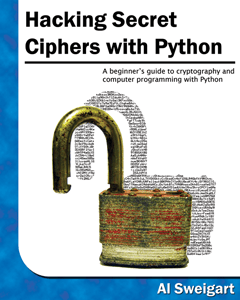 The book “Hacking Secret Ciphers with Python” by Al Sweigart is freely available from the author’s website. If you are interested in cryptography, it must be a good read.
Al Sweigart is the guy who wrote the PyGame book too! It’s also freely available!
Top Python questions on Stack Overflow
Hacking with Python
http://hackoftheday.securitytube.net/
Some interesting posts:
How to avoid *.pyc files?
Problem
Your project directories are littered with .pyc files. How to tell the interpreter to stop creating them?
Solution
Since Python 2.6:
“Python can now be prevented from writing .pyc or .pyo files by supplying the -B switch to the Python interpreter, or by setting the PYTHONDONTWRITEBYTECODE environment variable before running the interpreter. This setting is available to Python programs as the sys.dont_write_bytecode variable, and Python code can change the value to modify the interpreter’s behaviour.” (tip from here)
So I added the following lines to my .bashrc file:
# don't create .pyc and .pyo files
PYTHONDONTWRITEBYTECODE=True
export PYTHONDONTWRITEBYTECODE
Python 3.2 can save .pyc files in a dedicated subfolder called “__pycache__“.
PyCon US 2013 videos
The PyCon US 2013 conference just ended. I hope I can attend this conference in the future.
The videos of the presentations are here.
Update #1: the slides are here.
Update #2: I found an efficient way how to watch these videos during the next few weeks.
Profiling your script
This presentation shows three ways for profiling your Python programs. When I have some time I will sum them up here.
Speeding up Python
See http://maxburstein.com/blog/speeding-up-your-python-code/ for some performance tips.

 Python Adventures
You must be logged in to post a comment.