

Devolutions Server Console
Because Devolutions Server is in fact a web application, the management interface is provided by the Devolutions Server Console, which you can download from our download page.
Consult the list of web server prerequisites for the Devolutions Server Console.
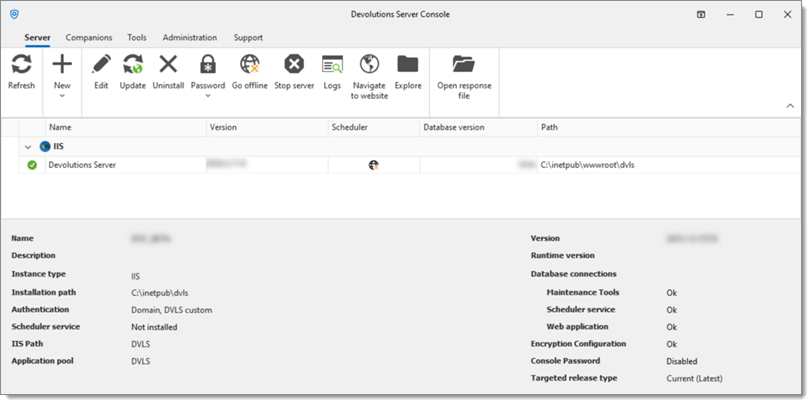
The Devolutions Server Console manages the IIS metabase. It must be started with elevated privileges when it needs to be used. Elevated privileges are granted when you use Run as administrator to launch the application. You can modify the shortcut to always start it in this manner.
Settings
Some features can only be managed from the web interface. Please see Server settings for more information.
Server
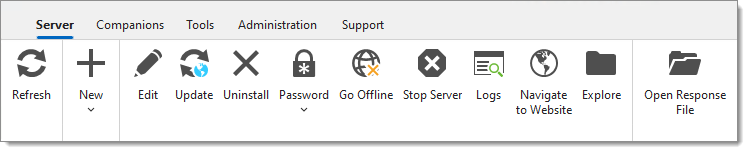
Refresh
Refresh the list of Devolutions Server instances in the Devolutions Server Console.
New
Create a new Devolutions Server instance or migrate an SQL workspace.
Edit
Edit the selected Devolutions Server instance's properties.
Update
Update the selected Devolutions Server instance.
Uninstall
Uninstall the selected Devolutions Server instance.
Password
Set, change, or disable the Devolutions Server instance password.
Go offline
Toggle the selected Devolutions Server instance to offline/online mode.
Stop server / Start server
Stop/Start the Devolutions Server IIS Application Pool.
Logs
View the workspace logs of the selected Devolutions Server instance.
Navigate to website
Open the web interface in the default browser.
Explore
Open the file explorer and points it to the Devolutions Server instance installation folder.
Open response file
Open a response file to run commands on the Devolutions Server instance.
Companions
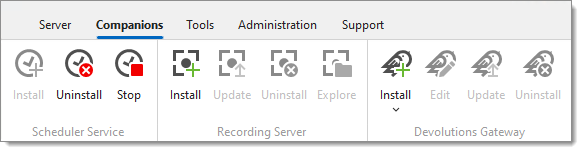
Scheduler service
Install
Install the scheduler service.
Uninstall
Uninstall the scheduler service.
Start/Stop
Start or stop the scheduler service.
Recording server
Install
Install the recording service.
Update
Update the recording service.
Uninstall
Uninstall the recording service.
Explore
Browse the folder where the recording files are stored.
Devolutions Gateway
Install
Edit
Edit the Devolutions Gateway configuration.
Update
Update the Devolutions Gateway.
Uninstall
Uninstall the Devolutions Gateway.
Tools
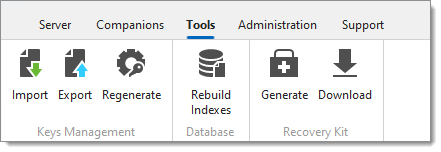
Keys Management
Import
Import the encryption keys.
Export
Export the encryption keys.
Regenerate
Regenerate the encryption keys.
Database
Rebuild indexes
Rebuild indexes of the SQL database tables.
Recovery Kit
Generate
Generate a local or Azure Key Vault recovery kit.
Download
Download a previously generated Azure Key Vault recovery kit.
Administration
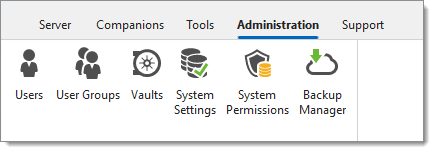
Users
Opens the Users management page on the Devolutions Server web interface.
User groups
Opens the User groups management page on the Devolutions Server web interface.
Vaults
Opens the vaults management page on the Devolutions Server web interface.
System settings
Opens the System settings page on the Devolutions Server web interface.
System permissions
Opens the System permissions page on the Devolutions Server web interface.
Backup manager
Opens the Backup manager page on the Devolutions Server web interface.
Support
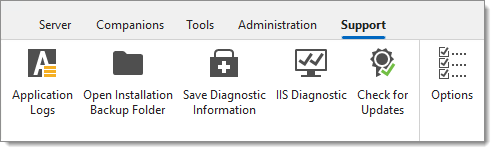
Application logs
Open the Devolutions Server Console application logs dialog.
Open installation backup folder
Open the Installation backup folder in the Windows file explorer.
Save diagnostic information
Save the diagnostic report in a text file.
IIS diagnostic
Run the IIS diagnostic.
Check for update
Check for available updates for the Devolutions Server Console.
Options
Language setting, theme, and update type options.
See also
Last updated
Was this helpful?