


Warning
This project is not actively maintained anymore. New maintainers are welcome.
It has been reported that with the most recent OS/Qt versions, the program can crash unexpectedly. Use this at your own risk.
-- Daniele
Notepadqq is a text editor designed by developers, for developers.
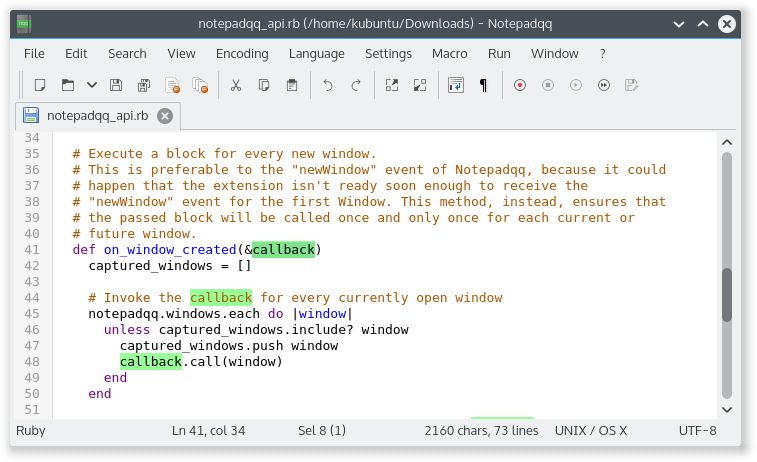
Please visit our Wiki for more screenshots and details.
| Build dependencies | Dependencies |
|---|---|
| Qt 6.8 or higher | Qt 6.8 or higher |
| qt6-webengine5-dev | qt6-webengine5 |
| qt6-websockets-dev | qt6-websockets |
| qt6-svg-dev | qt6-svg |
| qt6-tools-dev-tools | coreutils |
| libuchardet-dev | libuchardet |
| pkg-config |
$ git clone --recursive https://github.com/notepadqq/notepadqq.git
$ cd notepadqq
notepadqq$ ./configure --prefix /usr
notepadqq$ make
If you encounter errors make sure to have the necessary libraries installed. For Ubuntu you can do that using apt-get:
sudo apt-get install qt6-tools-dev qt6-tools-dev-tools qt6-webengine-dev qt6-websockets-dev libqt6svg6 libqt6svg6-dev libuchardet-dev pkg-config
For CentOS:
sudo dnf install -y qt6-qtbase-devel qt6-qttools-devel qt6-qtwebengine-devel qt6-qtwebsockets-devel qt6-qtsvg-devel qt6-qtwebchannel-devel uchardet pkgconfig
You can run notepadqq from its build output folder. If however you want to install it, first build it by following the above steps, then run:
notepadqq$ sudo make install
If the newest version of Qt isn't available on your distribution, you can use the online installer to get the latest libraries and install them into your home directory ($HOME/Qt). Notepadqq will automatically use them.
sudo apt install notepadqq
To install the latest stable version:
sudo snap install notepadqq
You don't have the snap command? Follow the instructions at https://docs.snapcraft.io/core/install and then install Notepadqq as shown above.
You can follow the unstable development releases from the "edge" channel.
Notepadqq is available from Arch's community repositories. To install using pacman:
sudo pacman -S notepadqq
Alternatively it can be found in the AUR:
- Development (git version): notepadqq-git
Notepadqq is avilable in OpenSUSE's main repository:
sudo zypper in notepadqq
Notepadqq is available in the shannon (stable) repository:
sudo eopkg it notepadqq
Use a package for a compatible distribution, or build from source. If you want to submit a package: https://github.com/notepadqq/notepadqq-packaging
Instructions can be found here.