
Introducing the RaspberryTips Android App
RaspberryTips now has a simple app to help you get the most out of your Raspberry Pi and stay up-to-date with the latest tips and tutorials.
I built this app because finding your Raspberry Pi on the network shouldn’t be complicated. Most tools give too much info or are too complicated for beginners. I wanted something simpler, made just for Raspberry Pi users.
And while I was at it, I thought, “Hey, why not add a few more features for RaspberryTips readers?” Like quick access to the latest tutorials, etc. And that’s how this app came to be. Let me show you why it’s awesome and how to install it.
Direct APK download – Not distributed through Google Play
Note: The RaspberryTips Android app is no longer available on Google Play because Play Store rules restrict apps that link to external digital products in most countries.
Since many RaspberryTips readers are comfortable installing apps manually, I now provide the APK directly here.
Key Features
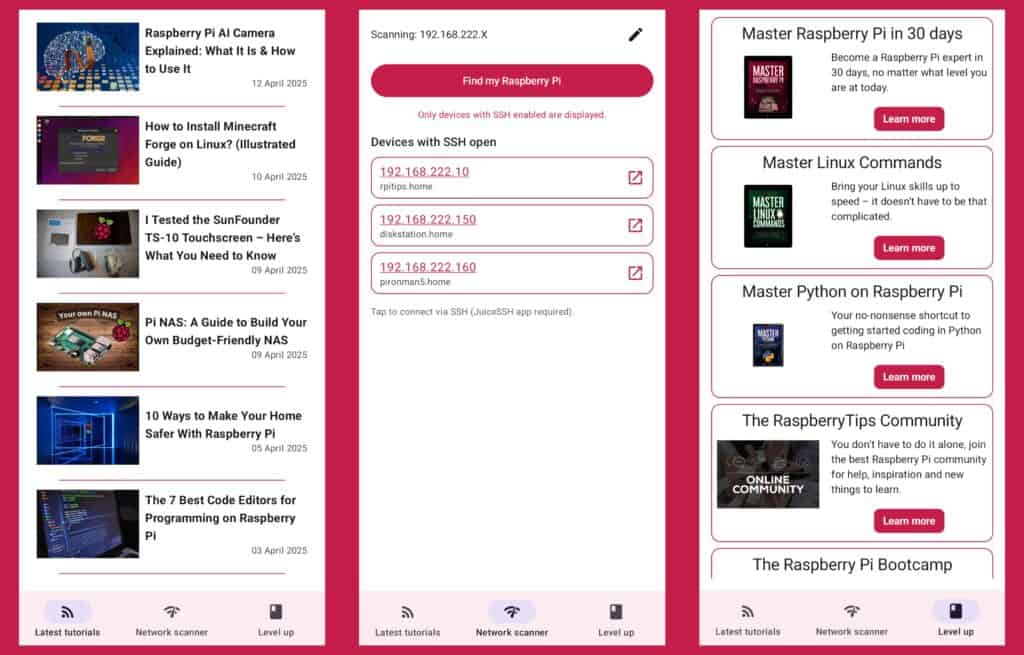
- Stay in the loop with the latest tutorials: The app includes a live feed of all new RaspberryTips articles, so you never miss a tip, project, or update.
- Find your Raspberry Pi on the network: Easily scan your network to locate your Raspberry Pi. The app filters the other devices and shows only the results that matter.
- One-Tap SSH access: There is a minimalist built-in SSH client, so you can quickly check what’s going on on your Pi, run a few commands (reboot, htop, …). It’s far from perfect, but at least you don’t need another app for basic things.
How to Install the App
The RaspberryTips app is no longer distributed through Google Play. You can now install it directly from the APK file provided above.
Here’s how to do it:
- Tap the Download the RaspberryTips app button.
- Once the download is complete, open the APK file.
- Android may show a warning because the app wasn’t downloaded from Google Play.

- Allow your browser to install apps if Android asks for permission.
- Confirm the installation.
- Open the RaspberryTips app and you’re ready to go.
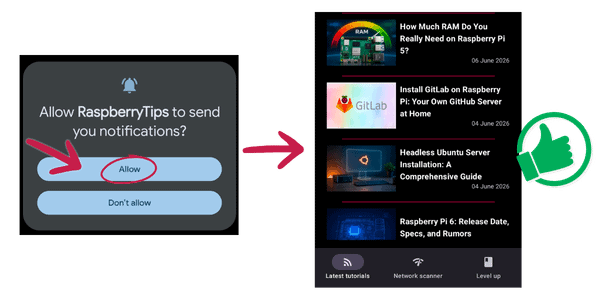
If you previously installed the app from Google Play, uninstall that version first, then install this APK.
You may also see a few security warnings during the installation. This is normal when installing an app manually on Android. The APK is provided directly by RaspberryTips and is the same app, just distributed outside the Play Store.
Future updates won’t be installed automatically from Google Play, so check this page from time to time to download the latest version.
FAQ
Is the app free?
Yes, the app is completely free to use, you don’t even need a RaspberryTips account.
How can I report bugs or share suggestions?
If you notice anything weird or have an idea to make the app better, just send me a message. I’ll be happy to take a look.
Is there an iPhone version?
Not yet! It’s only available for Android at the moment.
Not getting the same result?
Even when you follow every step, small differences in OS version, hardware or config can change the outcome. Instead of wasting time guessing, get help from people who have already fixed the same kind of issue.
- Get help on your exact issue
- Access step-by-step videos for tricky setups
- Browse the website without ads